Dwelns Business
Run every property, and your whole team, from one dashboard
Built for hosts who manage more than one shortlet: staff roles, a shared calendar, a shared inbox, payout reporting, and a verified business profile — on the same escrow-protected platform guests already book on.
Hosting just one place? Start here instead.
Who it's for
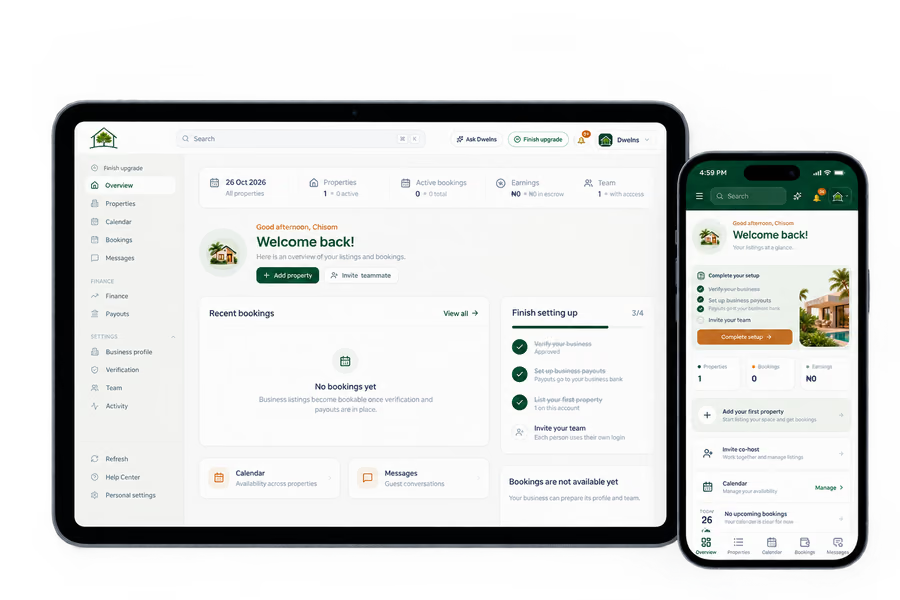
A single host renting out one apartment can list and manage it directly from their personal account — see Start Hosting. Dwelns Business is for registered companies and operators running several shortlets, who need staff to share the work without sharing one login, and who want their portfolio's numbers in one place.
Everything in one dashboard
Six tools, one login
Multi-property dashboard
List and manage every shortlet from one account, with bulk upload for adding a portfolio at once.
PropertiesStaff accounts & roles
Give your team their own logins, each scoped to a role — not your password.
See rolesShared calendar
Bookings and availability across your whole portfolio in one view, so nothing double-books.
CalendarShared guest inbox
Messages for every property land in one inbox your team can see and reply from.
MessagesFinance & reporting
Earnings, payouts and exportable statements, per property or across the business.
EarningsVerified business profile
Verified from your CAC registration and a director's NIN, with a public profile once approved.
How it worksStaff accounts & roles
A role for exactly what each person should touch
Once your account is verified as a business, add staff and assign one of six roles — from full ownership down to read-only access.
Business verification
Verified as a company, not just a person
We verify the business from its CAC registration details and a director's government-issued ID (NIN) — the same trust standard guests already expect from every Dwelns host. Once verified, your business gets its own public profile page.
Upgrade to Business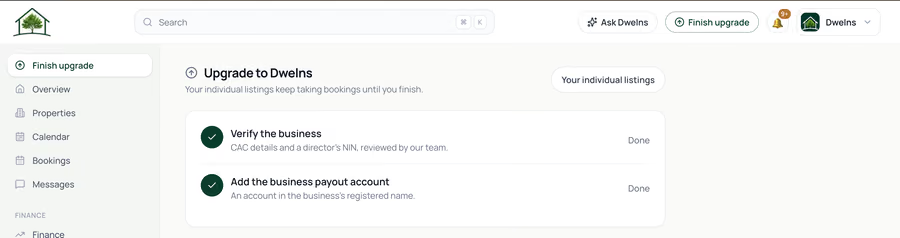
Still not sure if Dwelns Business is right for you?
Let ChatGPT, Claude, or Perplexity decide. Click once and see what your favorite AI says about Dwelns Business.
Before you upgrade
- Business verification requires your company's CAC registration details and a director's NIN.
- Moving your listings into a business account is one-way: once they move, you host as the business and can't switch back to individual hosting from the dashboard.
- Stays already booked before the upgrade are still honoured and paid out as agreed.
Ready to manage more than one property?
Start a new listing, or upgrade your existing host account.